How to use filters in task
ProofHub offers powerful task-filtering options to help you organize and manage your projects effectively. Filters can be applied in both Table view and Board view, allowing you to narrow down and focus on specific tasks based on various criteria.
Table view
Section titled “Table view”-
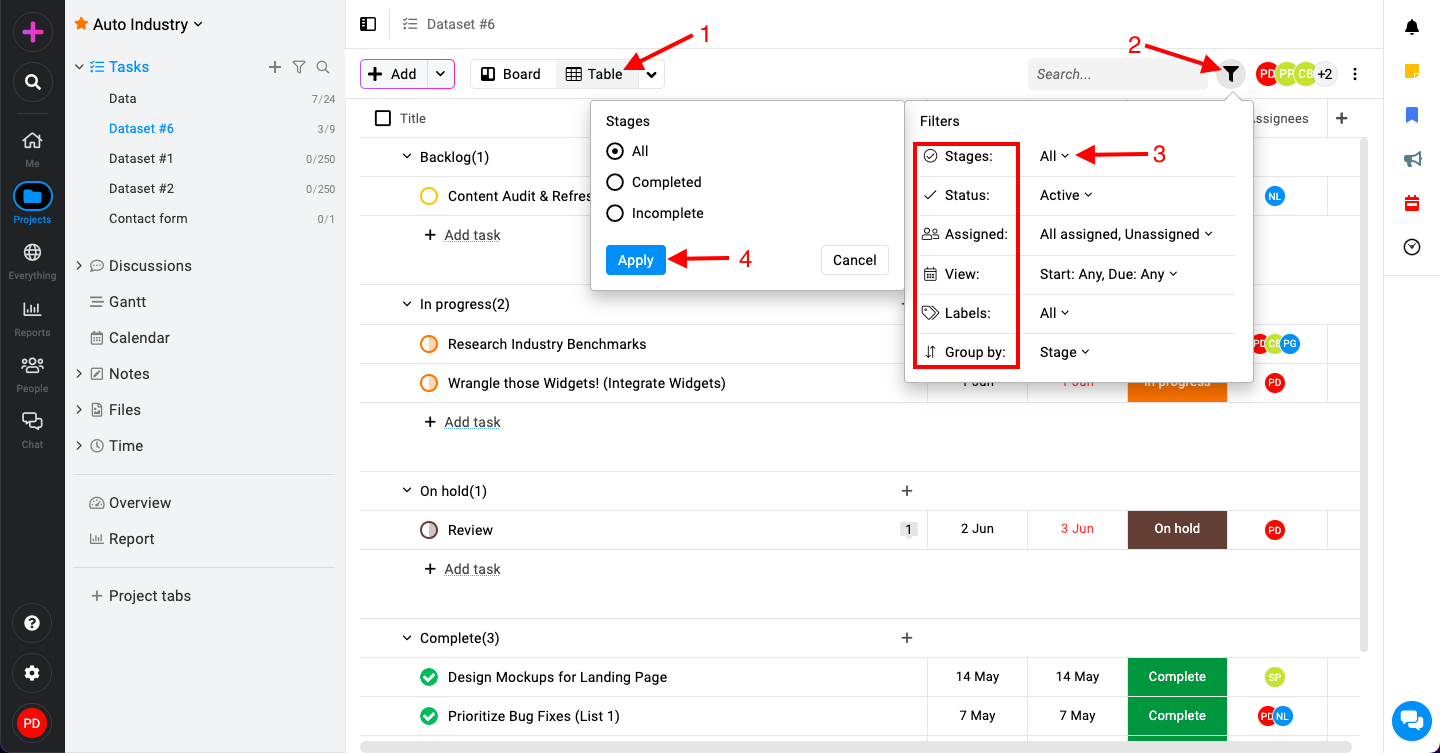
Click on the “Table view“.
-
Click on the filter icon at the top-right corner to reveal available filter options.
-
Available filters:
-
Stages: Filter tasks based on their stage (All, completed and incomplete).
-
Status: Filter tasks by status (e.g., Active, Archived).
-
Assigned: Filter tasks assigned to specific team members.
-
View: Select date range.
-
Labels: Filter tasks by assigned labels.
-
Group by: Arrange tasks based on different criteria (e.g., Stage, Date, None).
-
-
Click on “Apply“.
Board view
Section titled “Board view”-
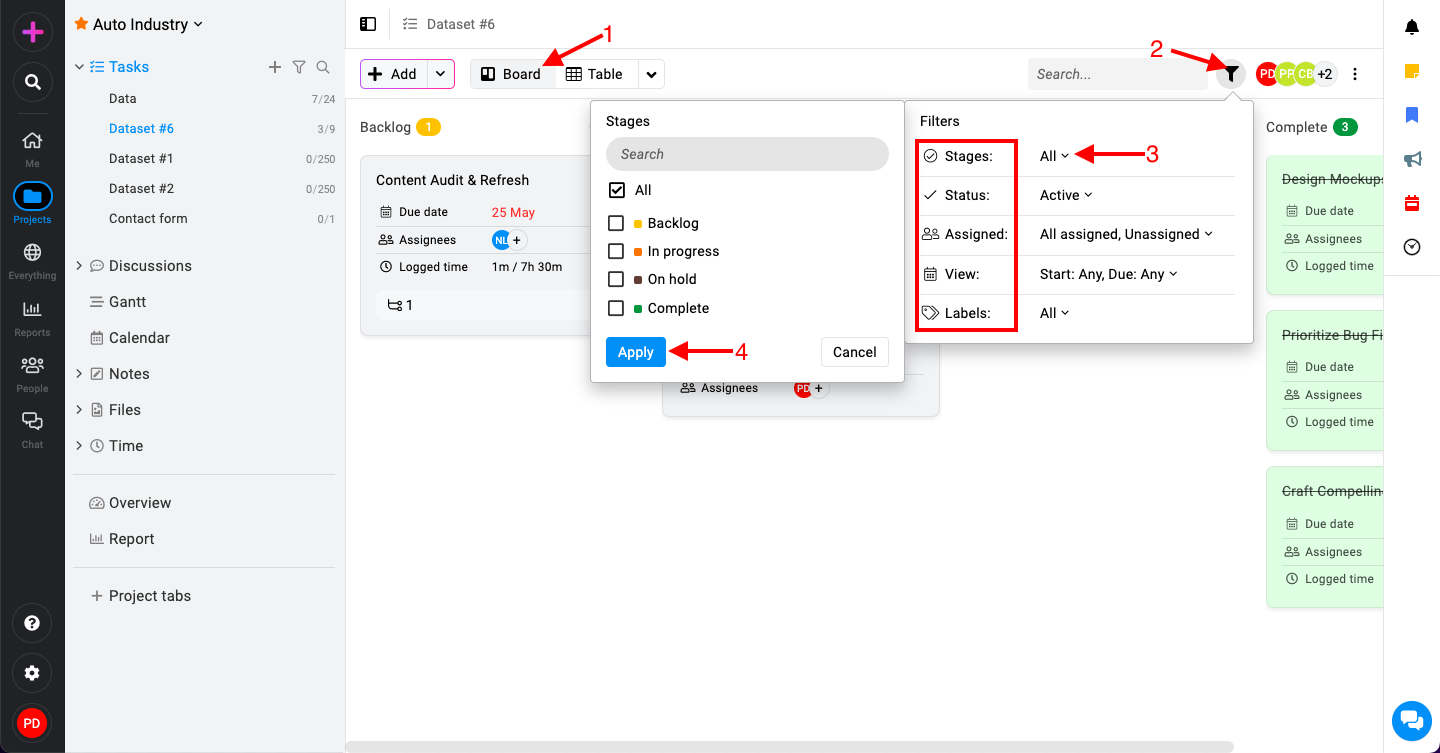
Click on the “Board view“.
-
Click on the filter icon at the top-right corner to reveal available filter options.
-
Available filters:
-
Stages: Filter tasks based on their stage (e.g., To-Do, In Progress, Done).
-
Status: Filter tasks by status (e.g., Active, Archived).
-
Assigned: Filter tasks assigned to specific team members.
-
View: Select date range.
-
Labels: Filter tasks by assigned labels.
-
-
Click on “Apply“.